Zalgo Text Generator - Create Creepy and Distorted Text Online
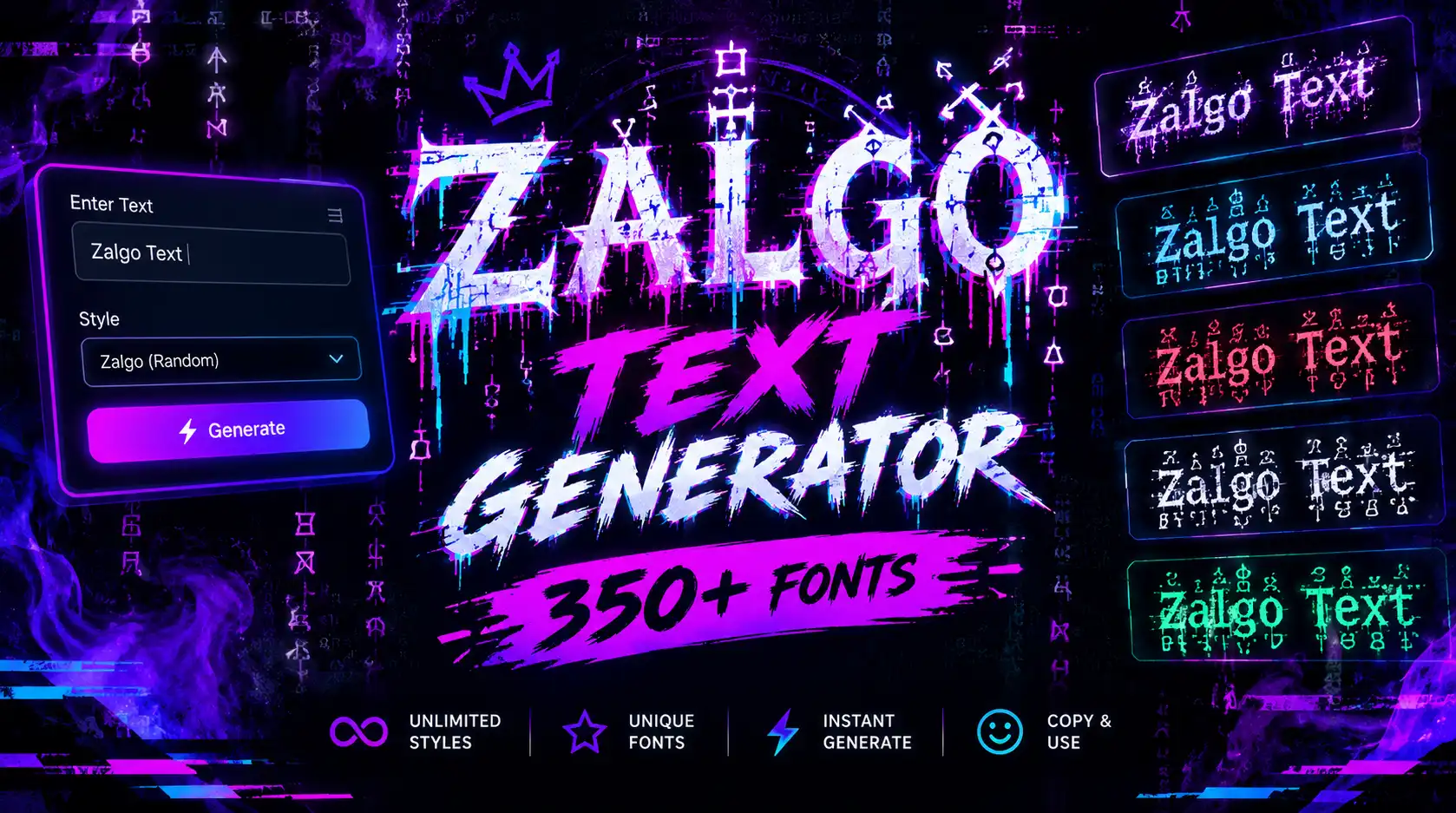
Want to make your text look mysterious, creepy, or digitally distorted? Zalgo-style lettering is a popular choice for horror-themed content, gaming usernames, creative messages, and unusual social media posts. A Zalgo Text Generator transforms ordinary words into a dramatic style by adding unusual marks above, below, or around letters. The result can range from a subtle distorted effect to heavily corrupted-looking text. You can experiment with different levels of distortion and use compatible generated characters in your favorite apps. Whether you are creating a spooky username, designing a themed post, or simply exploring unusual text styles, Zalgo lettering offers a distinctive way to express your creativity.
What Is a Zalgo Text Generator?
A Zalgo Text Generator is an online tool that transforms ordinary text into a distorted appearance by combining characters around standard letters. These extra marks may appear above, below, or across the original characters, making the text look corrupted or chaotic.
Zalgo text is often associated with internet horror culture, creepy memes, gaming communities, and unusual digital artwork. Its appearance can range from a lightly decorated phrase to an extremely distorted string of characters.
Unlike a conventional font that changes the shape of letters within a design application, Zalgo text commonly uses Unicode combining marks. These marks are part of the text itself, although the way they appear depends on the device, font, and application displaying them.
If you want to explore other creative lettering styles, visit our Fancy Text Generator homepage for more text customization options.
How Does a Zalgo Text Generator Work?
A Zalgo text tool takes the words you enter and adds selected combining characters to create a distorted effect. The tool may let you adjust how many marks appear above, below, or through the original letters.
The basic process is straightforward:
-
Enter your text: Type a name, phrase, username, or short message.
-
Choose the distortion level: Select a lighter or heavier effect if the generator provides that option.
-
Preview the result: Check whether the text looks the way you want.
-
Copy the generated text: Use the copy button if available, or select and copy the text manually.
-
Paste it into a compatible platform: Try the result in a supported profile field, message, or creative post.
The final appearance may differ between platforms. Some applications display combining marks correctly, while others may position them differently, limit the number of characters, or reject unusual text.
For that reason, it is best to start with a short phrase and test the result before using it in a public profile or post.
Popular Zalgo Text Styles
Zalgo text can be adjusted to create different levels of distortion. Choosing the right level helps you achieve the desired appearance without making every word unreadable.
1. Light Zalgo Text
Light Zalgo text uses a smaller number of combining marks to create a slightly unusual appearance. It is useful when you want a mysterious effect while keeping the original words relatively easy to recognize.
This style may suit short usernames, creative captions, and themed messages.
2. Medium Zalgo Text
Medium Zalgo text adds more marks around the original characters, creating a stronger distorted appearance.
It can be useful for horror-themed posts, gaming profiles, and creative content that needs a noticeable visual effect. The letters are often still recognizable, depending on the characters used and the platform's rendering.
3. Heavy Zalgo Text
Heavy Zalgo text uses a larger number of combining marks to create an intense, chaotic effect. The marks may extend far above or below the letters, giving the text a corrupted appearance.
This style can be effective for short horror-themed phrases or experimental digital art. However, it may be difficult to read and can cause display issues in some applications.
4. Creepy Zalgo Text
Creepy Zalgo text is often used for horror stories, spooky messages, Halloween content, and internet-style horror themes.
The distorted letters can create an unsettling visual impression, especially when used sparingly in a short phrase. For longer content, standard text is usually easier to understand.
5. Zalgo Text with Symbols
Some users combine Zalgo lettering with decorative symbols or emojis to create a more distinctive result.
If you choose this approach, avoid adding too many extra elements. A simple combination often looks cleaner than a phrase filled with unrelated symbols.
Why Use a Zalgo Text Generator?
A Zalgo Text Generator provides a quick way to experiment with distorted lettering without manually inserting combining characters.
Create a Distorted Appearance
Zalgo text changes the visual presentation of ordinary words, making them look unusual or corrupted. This can be useful for themed posts, creative usernames, and digital artwork.
Explore Different Distortion Levels
Some generators allow you to control how many marks appear around the letters. This gives you more flexibility to create a mild effect or a more dramatic result.
Copy and Paste Text
When a generator produces Unicode text, you can often copy the result and paste it into compatible applications. You generally do not need to install a separate font file to use those characters.
However, not every platform supports every character or renders combining marks in the same way.
Personalize Creative Content
Zalgo text can add a distinctive touch to gaming identities, horror-themed captions, informal messages, and experimental content. It is most effective when the visual effect supports the overall theme.
Use It Without Professional Design Skills
You do not need advanced design experience to generate Zalgo-style characters. You can experiment with text directly in an online tool and decide which result works best for your purpose.
If you want to understand the wider range of decorative lettering, read our guide to What Is Fancy Text?
How to Use Zalgo Text on Social Media
Zalgo text may be useful for personalizing social media content, but compatibility depends on the platform and the specific characters generated.
Zalgo Text for Instagram
Instagram users may experiment with Zalgo-style characters in supported profile fields, captions, or other text areas. The effect can suit horror-themed accounts, gaming profiles, and creative posts.
Avoid using heavily distorted text for important information such as contact details, business descriptions, or instructions. It may be difficult for visitors to read.
For more decorative profile options, explore our Instagram Fancy Text page.
Zalgo Text for TikTok
TikTok creators can experiment with unusual characters in supported profile fields and other text areas where decorative Unicode is accepted.
Zalgo text may suit horror content, gaming accounts, storytelling, or alternative visual themes. Keep your profile name recognizable and check that the characters are accepted before saving your changes.
For additional styles, visit TikTok Fancy Text.
Zalgo Text for Discord
Zalgo text is sometimes used in gaming communities and creative online spaces to produce a mysterious or distorted appearance.
However, Discord applies different restrictions to usernames and other fields. Some characters may not be accepted, and heavily combined text can display inconsistently.
Check the requirements for the field you want to edit before using your generated text. You can also explore our Discord Fancy Text page for alternative styles.
Zalgo Text for WhatsApp
You may be able to use Zalgo-style characters in supported WhatsApp text fields or informal messages. A short distorted phrase can add a playful or spooky effect.
For regular conversations, use this style carefully. Heavily decorated characters can make messages harder to read and may appear differently on another person's device.
Explore more options on our WhatsApp Fancy Text page.
Zalgo Text for Gaming Profiles
Gaming profiles can be a suitable place to experiment with distorted usernames and themed display text. Zalgo lettering may complement horror games, fantasy identities, and unconventional gaming aesthetics.
Before choosing a final username, check the game's character restrictions. Some games limit combining marks, special symbols, or unusual Unicode characters.
Zalgo Text vs. Glitch Text and Other Styles
Zalgo text is related to other decorative text effects, but each style creates a different appearance.
| Text style | Main appearance | Common uses |
|---|---|---|
| Zalgo text | Marks added above, below, or through letters | Horror themes and dramatic effects |
| Glitch text | Digitally distorted or disrupted lettering | Gaming profiles and futuristic content |
| Bubble text | Rounded or circle-inspired characters | Cute usernames and playful captions |
| Cursive text | Flowing, script-like letters | Elegant bios and decorative messages |
| Bold text | Heavier-looking characters | Emphasis and standout words |
Creative Ways to Use Zalgo Text
Zalgo lettering works best when its unusual appearance matches the content. Here are some ideas for using it creatively.
Horror-Themed Messages
Use a short Zalgo phrase in a spooky message, fictional warning, Halloween greeting, or horror-themed post. A small amount of distortion can create an unsettling mood without making the entire message unreadable.
Gaming Usernames
A distorted name may suit a horror-game character or an alternative gaming identity. Check the game's rules before using unusual characters.
Creative Social Media Captions
Zalgo text can add a dramatic effect to short captions, themed announcements, or posts related to horror and digital art.
Digital Artwork
You can use generated Zalgo text as inspiration for posters, thumbnails, and experimental designs. For more control over colors, outlines, layers, and positioning, use a graphic design application.
Fictional Characters and Stories
Writers and creators may use distorted text to represent a fictional corrupted message, supernatural voice, or unusual digital transmission. Keep the effect limited to the parts where it adds meaning.
For more inspiration, browse our Fancy Text Ideas guide.
Tips for Creating Better Zalgo Text
Zalgo effects can be visually striking, but using them carefully helps prevent readability and compatibility problems.
-
Start with a Short Phrase: A small number of words is usually enough to demonstrate the effect. Long passages with many combining marks can become difficult to read and may behave unpredictably.
-
Adjust the Distortion Level: If the generator offers different intensity settings, try a lighter effect first. Increase the distortion only if it supports the look you want.
-
Test Before Publishing: Paste the generated text into the destination application and check how it appears. A result that looks correct in the generator may render differently elsewhere.
-
Avoid Excessive Combining Marks: Large numbers of marks can overlap, extend beyond the expected text area, or cause display issues. Some applications may also limit or sanitize unusual character sequences.
-
Consider Accessibility: Screen readers may interpret decorative characters differently from ordinary letters. Avoid using heavily distorted text for important instructions, essential information, or business contact details.
-
Keep Your Audience in Mind: Zalgo text may work well for horror-themed content or creative profiles, but it is not appropriate for every situation. Standard text is often better for professional communication and longer messages.
Is Zalgo Text a Font?
No. Zalgo text is not necessarily a font. Most Zalgo-style generators create their effect by inserting Unicode combining characters around ordinary letters.
A font determines how characters are visually drawn on a screen. Combining characters are text elements that may be positioned in relation to other characters. When multiple combining marks are added to a letter, they can create the distorted appearance associated with Zalgo text.
This distinction affects compatibility. Since the effect depends on how devices and applications render the characters, the result may vary across platforms.
If you want copyable decorative text, a text generator can be convenient. If you need precise control over a graphic's visual appearance, a design application provides more flexibility.
Frequently Asked Questions
What is a Zalgo Text Generator used for?
A Zalgo Text Generator creates distorted-looking text by adding combining marks around ordinary characters. People use it for horror-themed messages, gaming profiles, creative captions, and experimental digital content.
Can I copy and paste Zalgo text?
Yes, if the generator produces copyable Unicode characters. You can select the result and paste it into compatible applications. Some platforms may limit the characters or display them differently.
Is Zalgo text free to use?
That depends on the tool you choose. If the generator provides free access, you can use its available features according to its terms.
Why does Zalgo text look different on other devices?
Devices and applications may use different fonts and character-rendering systems. As a result, combining marks can appear differently, overlap in unexpected ways, or fail to display as intended.
Can I use Zalgo text on Instagram?
Some Zalgo-style characters may work in supported Instagram fields, but compatibility is not guaranteed. Test the text before using it in a profile or caption.
Is Zalgo text safe to copy and paste?
Zalgo text is a text style, not inherently a harmful file or program. However, heavily distorted strings may be difficult to read, inconvenient to select, or poorly supported by some applications. Use text from sources you trust and check the result before sharing it.
What is the difference between Zalgo text and glitch text?
Zalgo text commonly creates distortion by adding combining marks above, below, or through letters. Glitch text is a broader category of digital-looking distortion and may use different character substitutions or visual effects.
Can Zalgo text be used for long paragraphs?
It is possible in some contexts, but it is generally not recommended. Large amounts of combining marks can reduce readability and cause inconsistent rendering. Short phrases are usually more practical.
Conclusion
Zalgo lettering offers a distinctive way to make ordinary words look distorted, mysterious, and dramatic. With a Zalgo Text Generator, you can experiment with different levels of distortion for gaming usernames, horror-themed posts, creative messages, and social media profiles. For the best results, start with a short phrase, select an appropriate style, and test the generated characters on the platform where you plan to use them. Remember that Zalgo text relies on character rendering, so it may not look identical across every device or application. If you want to explore more creative options, visit our Fancy Text Generator homepage and discover other styles, including glitch, bubble, bold, and cursive text.