Glitch Text Generator - Create Distorted Text Online
Give your words a digital, futuristic, and edgy appearance with glitch-style lettering. This text effect is popular among gamers, content creators, and social media users who want their profiles to look different from ordinary text. A Glitch Text Generator helps transform regular words into distorted-looking characters that resemble digital interference, broken signals, or corrupted screen effects. You can use these styles for gaming usernames, social media bios, captions, creative messages, and experimental designs. Whether you want a cyberpunk-inspired profile or a dramatic visual effect for a short phrase, glitch text offers an easy way to experiment with unusual lettering without needing advanced graphic design skills.
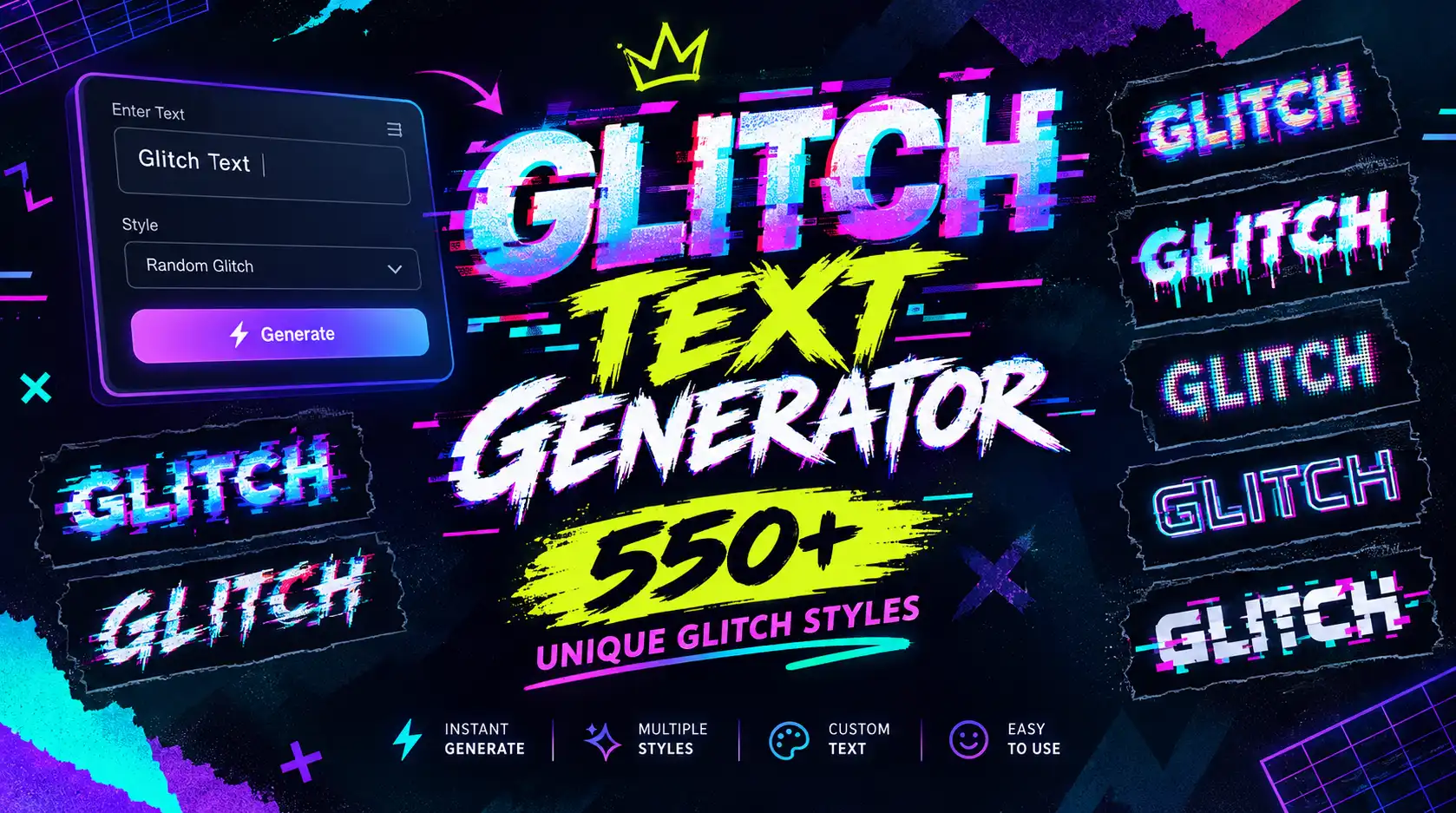
What Is a Glitch Text Generator?
A Glitch Text Generator is an online tool that converts ordinary text into distorted or visually disrupted lettering. The result may include unusual symbols, combining marks, or characters that create the impression of a digital glitch.
Glitch effects are often associated with computer screens, corrupted digital signals, futuristic interfaces, and cyberpunk-inspired designs. These visual styles can make text appear mysterious, technical, or unconventional.
Depending on the tool, glitch text may be created using Unicode characters, combining marks, or visual styling. Unicode-based results can often be copied and pasted into compatible text fields, although their appearance may vary between devices and platforms.
How Does a Glitch Text Generator Work?
A glitch text tool takes the words you enter and applies a decorative transformation. Some generators add unusual marks above or below letters, while others replace ordinary characters with visually similar alternatives.
The process usually involves a few simple steps:
- Enter your text: Type a username, phrase, caption, or short message.
- Choose a glitch style: Select the distorted appearance that best matches your idea.
- Preview the result: Check how the generated text looks before using it.
- Copy your text: Use the copy button if available, or select the result and copy it manually.
- Paste it into your preferred platform: Try it in a compatible profile field, chat, caption, or gaming application.
Not every generator creates the same type of effect. Some produce text that remains relatively readable, while others add multiple marks that make the words look heavily distorted.
For the best experience, start with a short phrase and test it in the application where you intend to use it.
Popular Types of Glitch Text Styles
Different glitch styles can create different moods. Some resemble subtle digital distortion, while others look chaotic and dramatic.
1. Zalgo-Style Glitch Text
Zalgo-style text often uses combining characters placed above, below, or through ordinary letters. This creates a distorted appearance that can resemble corrupted text or a digital error.
This effect is frequently used in horror-themed posts, unusual usernames, creative messages, and internet culture. However, heavily distorted text can become difficult to read. If you want an effect with many additional marks, explore our Zalgo Text Generator.
2. Cyberpunk Glitch Text
Cyberpunk-inspired text is associated with futuristic cities, digital interfaces, science fiction, and technology-focused aesthetics.
A suitable decorative style can help create this mood in gaming profiles, social media captions, or short creative phrases. For professional artwork, a graphic design application may offer more control over colors, shadows, outlines, and actual glitch effects.
3. Distorted Digital Text
Distorted digital lettering creates the impression that the text has been interrupted, displaced, or affected by a digital error.
It can work well for short headings, experimental content, and gaming-related posts. Use this style when you want your text to feel unusual without necessarily making every character difficult to recognize.
4. Glitch Text with Symbols
Some decorative styles combine letters with symbols or unusual Unicode characters to create a more complex appearance.
This approach can make a short username or phrase distinctive, but excessive symbols may reduce readability and compatibility. Choose a style that suits the platform where you plan to use it.
5. Subtle Glitch Text
A subtle effect changes the appearance of the text without making it completely unreadable. This can be a practical choice for profile names, captions, and creative messages.
If your goal is simply to make text stand out, you can also try our Bold Text Generator or Fancy Font Generator.
Why Use a Glitch Text Generator?
A Glitch Text Generator makes it easier to experiment with unusual lettering without manually searching for decorative characters.
Create a Futuristic Appearance
Glitch effects can give your text a digital, technical, or science-fiction-inspired look. This makes them suitable for gaming profiles, technology-themed content, and creative online identities.
Personalize Usernames
A distinctive username can help express your personality or match a particular gaming aesthetic. Glitch text offers an alternative to ordinary lettering, provided the platform accepts the characters you choose.
Make Social Media Content Different
Decorative lettering can add variety to short captions, profile descriptions, and informal posts. Used selectively, it can help create a recognizable visual style.
Copy and Paste Conveniently
Many generators produce text that can be copied directly into supported applications. This is useful when you want to experiment with different styles without installing software.
Keep in mind that copyable Unicode characters are not the same as a complete graphic effect. A text generator may change the characters themselves, but it cannot guarantee the same visual appearance across every application.
Experiment Without Design Experience
You do not need professional design skills to test different text effects. Enter your words, compare the available styles, and select the version that suits your project.
For a broader introduction to decorative lettering, read our guide to What Is Fancy Text?
How to Use Glitch Text on Social Media
Glitch text can be useful for creative social media profiles, but each platform has its own rules and character support. Always check the result before publishing.
Glitch Text for Instagram
Instagram users can experiment with decorative characters in supported profile fields, captions, and other text areas. A short glitch-style phrase can complement gaming, technology, music, or alternative-themed content.
Avoid using heavily distorted characters for essential information, such as business contact details or important announcements. For more profile styling options, visit our Instagram Fancy Text page.
Glitch Text for TikTok
TikTok creators may use glitch-style text in supported profile fields and other places where decorative characters are accepted. The style can suit gaming accounts, digital art creators, and futuristic content themes.
Keep your profile name understandable so viewers can recognize and remember it. Explore additional options through our TikTok Fancy Text page.
Glitch Text for Discord
Discord communities often include gaming, technology, and creative interests, making glitch lettering a possible choice for personalizing supported profile fields or messages.
However, Discord applies specific rules to usernames and other fields. Some decorative characters may be rejected or displayed differently. Check the relevant field's restrictions before choosing your final text. You can discover more styles on our Discord Fancy Text page.
Glitch Text for WhatsApp
Glitch-style characters may be used in supported WhatsApp text fields, such as certain profile details or personal messages. They can add a different look to a short status or informal greeting.
For everyday conversations, ordinary text is usually easier to read. Use decorative characters when they add personality without making your message confusing. Explore more options through our WhatsApp Fancy Text page.
Glitch Text for Gaming Profiles
Gaming profiles are a natural place to experiment with digital-looking text. A short, distorted nickname may complement a cyberpunk, sci-fi, or competitive gaming identity.
Before using the text, check the game's username requirements. Some games restrict special characters, combining marks, or the length of a player name.
Glitch Text vs. Other Fancy Text Styles
Glitch text is only one option for personalizing ordinary writing. Different styles serve different purposes, so choose according to the appearance and readability you need.
| Text style | Appearance | Best use |
|---|---|---|
| Glitch text | Distorted or digitally disrupted lettering | Gaming profiles, futuristic themes, experimental content |
| Zalgo text | Letters with additional marks above or below | Horror themes and dramatic effects |
| Bubble text | Rounded or circle-inspired characters | Cute usernames and playful captions |
| Cursive text | Flowing, script-like letters | Elegant bios and decorative messages |
| Bold text | Heavier-looking characters | Emphasis and short standout phrases |
Creative Ways to Use Glitch Text
Glitch lettering can be useful in a variety of personal and creative projects. The key is to match the intensity of the effect to your purpose.
Gaming Usernames
Try a subtle glitch effect for a gaming nickname. Make sure the final name is accepted by your game and remains recognizable to other players.
Social Media Bios
Use a short decorative phrase to complement a profile's overall theme. Glitch lettering may suit technology, gaming, music, and digital-art accounts.
Digital Art Projects
Glitch text can serve as inspiration for posters, thumbnails, cover artwork, and experimental graphics. For complete visual control, recreate the effect in a design application where you can adjust distortion, colors, and positioning.
Creative Messages
A small amount of distorted text can make an informal message look unusual or mysterious. It may be suitable for themed announcements, jokes, or messages shared with friends.
Cyberpunk-Inspired Content
Glitch effects can complement futuristic visual themes, especially when paired with suitable imagery and colors in a graphic design project.
For more creative inspiration, browse our Fancy Text Ideas guide.
Tips for Creating Better Glitch Text
The right approach depends on where you plan to use your text. These tips can help you create a result that looks distinctive without becoming unnecessarily difficult to read.
- Keep the Text Short: Glitch effects can make long phrases harder to understand. Start with a name, heading, or short sentence, particularly if the chosen style includes many combining marks.
- Choose a Readable Style: A heavily distorted effect may look interesting, but it can be difficult for others to interpret. If you want people to recognize your username or message quickly, use a more subtle style.
- Test Compatibility Before Publishing: Some platforms display Unicode characters differently, and others may restrict them. Paste your text into the intended field and confirm that it appears correctly.
- Avoid Excessive Combining Marks: Some glitch styles use multiple marks attached to each character. Too many can create display problems, interfere with readability, or make the text difficult to select.
- Consider Accessibility: Decorative Unicode characters may not be read by screen readers in the same way as ordinary letters. For important information, keep a standard-text version available.
- Match the Effect to Your Purpose: A dramatic glitch style may suit a gaming nickname but look inappropriate in a business profile. Choose the design based on your audience and the impression you want to create.
Is Glitch Text the Same as a Glitch Font?
No. Glitch text and glitch fonts are related, but they work differently.
A glitch text generator may produce decorative Unicode characters that you can copy and paste into compatible text fields. The appearance is influenced by the characters themselves and the way the receiving platform renders them.
A glitch font is a typeface or visual treatment used in software that supports font selection. A design application can provide more control over effects such as color separation, distortion, displacement, shadows, and screen interference.
Choose a text generator when you want a convenient way to personalize copyable text. Choose a design application when you need a precise visual effect for a poster, thumbnail, logo concept, or other graphic.
Frequently Asked Questions
What is a Glitch Text Generator?
A Glitch Text Generator transforms regular text into distorted-looking characters or decorative styles inspired by digital interference. It is commonly used for usernames, social media profiles, gaming identities, and creative messages.
Is glitch text free to use?
Pricing depends on the particular tool. If the generator offers free access, you can use its available features according to its terms and conditions.
Can I copy and paste glitch text?
Yes, when the generator produces copyable characters. You can select the generated result and paste it into a compatible application. If a copy button is available, you can use it instead.
Does glitch text work on Instagram?
Some glitch-style Unicode characters may work in supported Instagram text fields. However, character support and display can vary, so test your text before adding it to your profile or publishing a post.
Can I use glitch text in Discord?
You can try compatible decorative characters in supported Discord fields. Username rules and other restrictions may limit which characters you can use, so check the relevant requirements first.
Why does my glitch text look different on another device?
Different devices, operating systems, and applications may render Unicode characters differently. Unsupported characters can also appear as boxes or other substitute symbols.
Is glitch text suitable for professional use?
It can work for creative brands, gaming projects, digital art, and technology-themed content. For formal communication or essential business information, ordinary text is generally easier to read and more accessible.
What is the difference between glitch text and Zalgo text?
Glitch text is a broad term for lettering designed to look digitally distorted. Zalgo text commonly uses combining marks placed around ordinary characters to create a more extreme, disrupted appearance. Some tools may offer overlapping styles.
Conclusion
Glitch lettering is a creative way to give ordinary words a futuristic, distorted, or digital-inspired appearance. A Glitch Text Generator makes it easy to experiment with unusual characters for gaming usernames, social media bios, captions, and informal messages. For the best results, choose a style that suits your purpose, keep important text readable, and test the characters on your intended platform before publishing. Remember that copyable Unicode text is different from a glitch font or a complete visual effect created in design software. If you want to explore more possibilities, visit our Fancy Text Generator homepage and try related styles such as bold, cursive, bubble, and Zalgo text.